Automatic calculation of costs and distances with Tender+
Use Tender+ to automatically calculate costs and distances for A-B routes. The calculation is made using the selected vehicle and routing settings.
The calculation is based on a Microsoft® Excel® file. You enter the stations in this file. The procedure is as follows:
-
Tender+ reads the address data from the file and geocodes it automatically if possible.
-
In the next step, you specify
-
which vehicle is used
-
which parameters apply to the route calculation
-
Note: 100 calculations are available free of charge for test purposes.
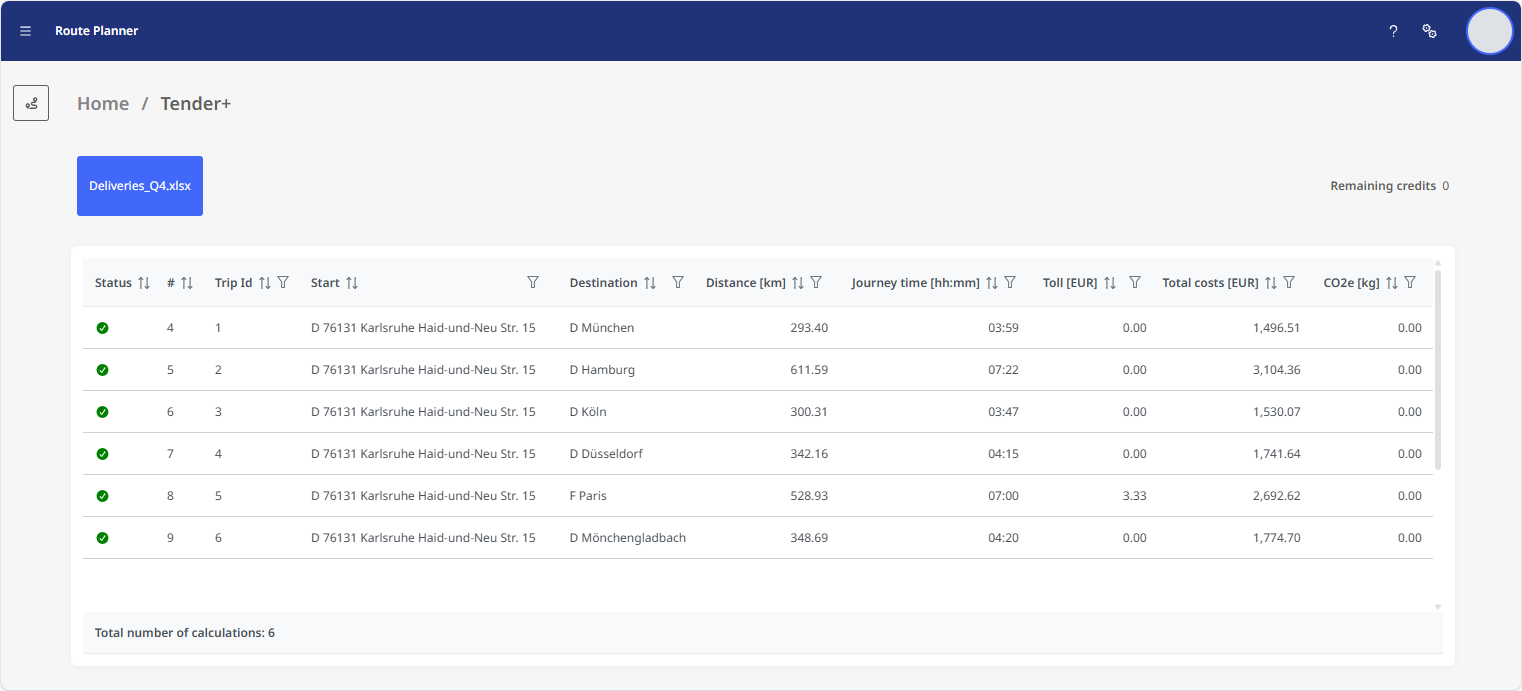
Once the calculation is complete, Tender+ displays the routes on the start page. Alternatively, you can download the results file to your computer.
The calculated results for each route are displayed in the individual worksheets of the results file (see The results file).
-
Driving time, travel time, distance and toll route
-
Toll costs and special toll costs
-
Travel costs:
-
Fixed costs
-
Route costs
Time costs
-
Stop costs
-
Ferry and train costs
-
Routine-specific costs
-
Energy costs
-
-
emissions, fuel consumption/battery consumption and battery status
The following steps are required for a calculation in Tender+:
After the calculation, you can view the results directly in Tender+ or download them as an Excel® file: