Reading time: minute(s)
 Deutsch
 English
 Français
Define settings for the Tender+ calculation
 Define settings for a new calculation
Once all addresses have been geocoded, define the "Settings" in step 2 of the wizard:
-
which route settings are used
-
which vehicle is used
-
which cost profile is used
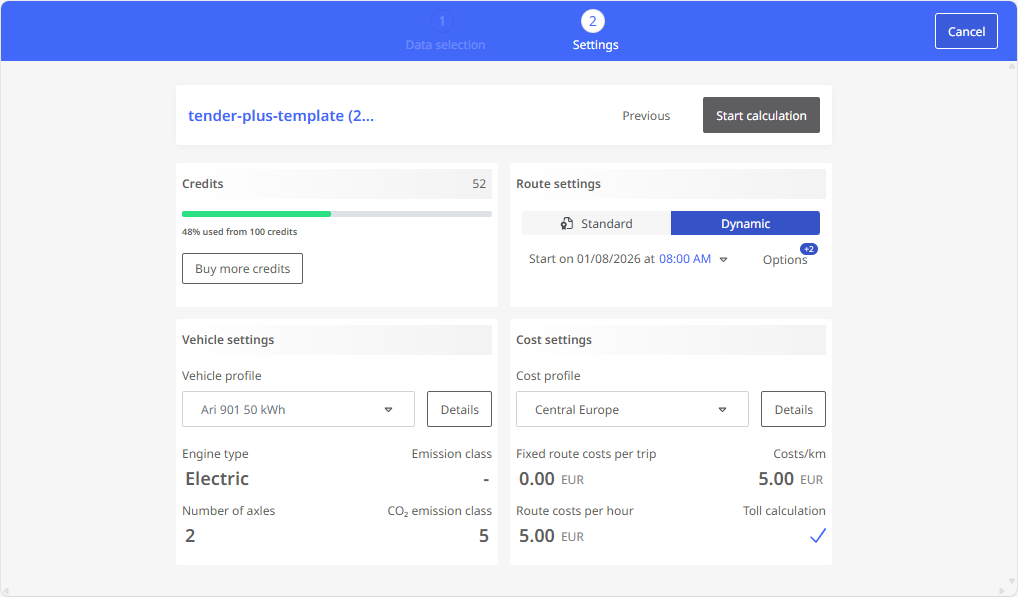
This step of the wizard is divided into four areas:
|
|
-
Vehicle settings: Select the desired vehicle profile here. The most important details of the selected profile are displayed directly. Use the "Edit" button next to the entry in the selection list to open the complete vehicle profile (see "Edit a vehicle profile"). If it is not a standard profile, you can adapt the profile if necessary.
-
Cost settings: Select the desired cost profile here. The most important details of the selected profile are displayed directly. Use the "Edit" button next to the entry in the selection list to open the complete cost profile (see "Edit a cost profile"). You can adjust the profile there if necessary.
Once you have set all the parameters, you can
-
then Show result preview and download The results file
Change settings for an existing calculation
If a calculation has already been carried out, you can change the settings for this calculation at any time.
Attention: Please note that the routes recalculated with the changed settings will also be deducted from your credits balance.
Note: For an existing calculation, you can only subsequently change the settings - not the stops of the routes to be calculated. If you want to change the list of stops, you must delete the existing calculation and upload the revised import file again.
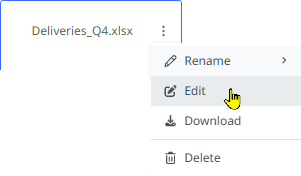
Proceed as follows to subsequently change the settings of a calculation:
This will take you to the settings page where you can adjust the settings for the calculation and then restart the calculation. |
|