Upload file and geocode addresses

Before you can start calculating the routes in Tender+, the addresses from the Excel® file must first be uploaded and geocoded.

  • In the previous step, you started the wizard to create a new calculation, downloaded and edited an Excel® file

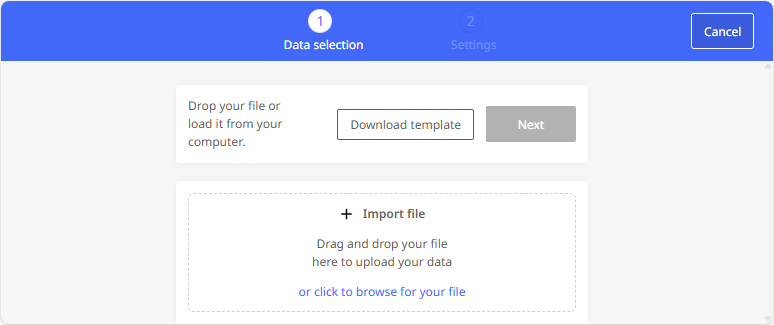
  • In the "Import file" area click on the wizard to select the Excel® file for uploading. Alternatively, you can also drag and drop the file into this area.

  • The data is imported and geocoded.

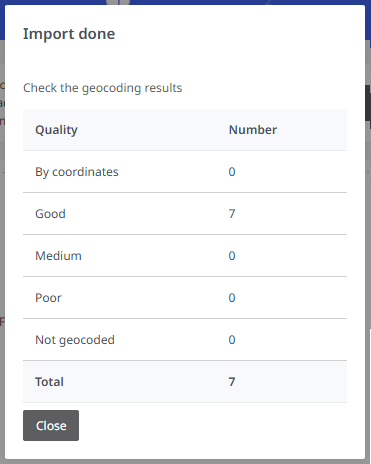
    A summary of the geocoding will now be displayed. Here you can see which addresses have been gecoded

    • by coordinates (instead of address data),

    • with good, average, or poor quality, or

    • not at all.

    For addresses that have been geocoded poorly or not at all, you should check the source data in the CSV file.

    Click <Close> to confirm the creation of the layer.

During the import process, all identical addresses that appear in the Excel® file are identified by Tender+.

Example: In the Excel® file, the first stop (start) is always the Munich depot. This address is only imported once and used for all planning after geocoding.

If all stations are geocoded, you can define the calculation parameters (see Define settings for the Tender+ calculation).