Reading time: minute(s)
 Deutsch
 English
 Français
Prepare data in an Excel® file
Tender+ in PTV Map&Guide expects an Excel® file with the file extension xlsx or xls for the calculation.
-
The format of the Excel® file is fixed.
-
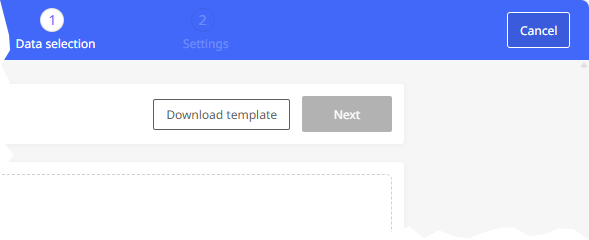
You can download a template file at the start of the import.
-
If you want to calculate routes with two stops (A-B routes), you can enter a route ID as well as two stops per line.
-
If you want to calculate routes with several stops, enter one stop per line. You can control which stop-off point belongs to which route using the trip ID.
A B C F G H I Status IDs Stop-Off-Point A Routing Status Description Trip ID Country ZIP Town Address Please leve row blank 7 D 76131 Karlsruh Stumpf-Str. 1 7 PL 03-736 Praga-Pótnoc ul. Ząbkowska 31 7 NL 3542DZ Utrecht Energieweg 1 7 I 00184 Rome Via R. Bonghi 11/b 8 A 1030 Wien Siegelgasse 1/2/3 8 B 8900 Ieper Dhemlaan 31 8 GB B63 3 Halesowen Vine Lane
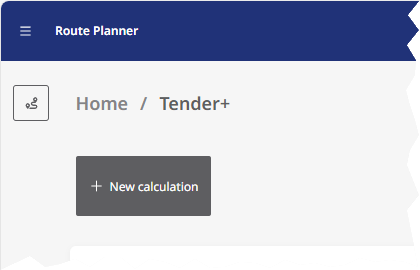
Proceed as follows:
|
|
|
|
|
|
Notes:
-
The file used to import the routes to be calculated has the same structure as the result file that is created later. However, unlike the result file, only the first worksheet, “Routes,” is filled in for the import file—and even then, only from column C onwards. When the results are downloaded later, the remaining worksheets are filled in by Tender+.
-
Some table columns are hidden in the import file template because they will only be used by future PTV Map&Guide functions. Values entered in these hidden columns will be ignored during import into Tender+, but the columns must still be present!
Attention: Please make sure not to change the information on the “Version info” worksheet!
 A-B routes
You can enter routes with two stops line by line.
Fill in the template with the desired stations. You can enter the following values for each line:
| Area | Column | Meaning | Example |
|---|---|---|---|
| IDs | |||
|
C | Unique route ID | 1 |
| Stop-off point A | 1. stop (start) | ||
|
F | Country | NL |
|
G | Postal code | 1033 |
|
H | CIty or town | Amsterdam |
|
I | Street and house number | Frambozenstraat 7 |
|
J | Longitude | 4,89368 |
|
K | Latitude | 52,40934 |
|
Note: Coordinate system The coordinates must be specified either in WGS 84 decimal format or in PTV Mercator format. Further information can be found in the article Which coordinate formats can I use in Tender+?
|
|||
|
M | Stay duration in minutes | 20 |
|
N | Costs incurred at the stop, e.g. for cleaning the vehicle | 10 |
|
Q | Comment on the stop | After entering the factory, go to the building on the right after 20 meters. |
| Stop-off point B | 2. stop (destination) | ||
|
R | Country | D |
|
S | Postal code | 76131 |
|
T | CIty or town | Karlsruhe |
|
U | Street and house number | Haid-und-Neu-Straße 15 |
|
V | Longitude | 8,42789 |
|
W | Latitude | 49,01319 |
|
Note: Coordinate system The coordinates must be specified either in WGS 84 decimal format or in PTV Mercator format. Further information can be found in the article Which coordinate formats can I use in Tender+?
|
|||
|
Y | Stay duration in minutes | 30 |
|
Z | Costs incurred at the stop, e.g. for cleaning the vehicle | 10 |
|
AC | Comment on the stop | |
Routes with several stations
For multi-stop routes, enter each stop in a line.
Important: The assignment to a route is made via the trip ID.
| Area | Column | Meaning | Example |
|---|---|---|---|
| IDs | |||
|
C | Unique route ID | 1 |
| Stop-off point A | Stop/Waypoint/Destination | ||
|
F | Land | NL |
|
G | Postal code | 1033 |
|
H | City or town | Amsterdam |
|
I | Street and house number | Frambozenstraat 7 |
|
J | Longitude | 4,89368 |
|
K | Latitude | 52,40934 |
|
Note: Coordinate system The coordinates must be specified either in WGS 84 decimal format or in PTV Mercator format. Further information can be found in the article Which coordinate formats can I use in Tender+?
|
|||
|
M | Stay duration in minutes | 20 |
|
N | Costs incurred at the stop, e.g. for cleaning the vehicle | 0 |
|
Q | Comment on the stop | After entering the factory, go to the building on the right after 20 meters. |
-
Once you have entered all the stops, save and close the Excel® file.
In the next step, upload the file to Tender+ (see Upload file and geocode addresses).