Adjust the permissions for an address layer

In PTV Map&Guide, you can specify which authorizations other users in your company have for the address layers created. For this purpose, an address layer always has one of the following statuses:

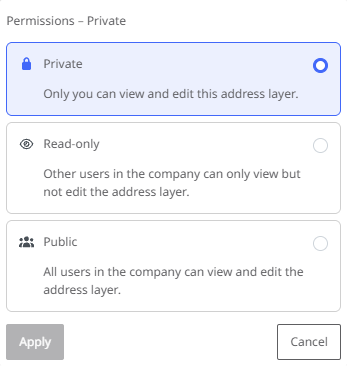
  • Private - Only the user who created the address layer can view and edit the layer.

  • Read only - All users in the company can see and use the address layer. Only the user who created it can edit it

  • Public - All users in the company can view, use and edit the address layer.

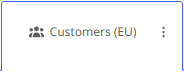
The status of an address layer is indicated by a symbol in the level tile.

To change the status of a address layer,

  1. hover the mouse pointer over the tile of the address layer,

  2. then click on the < Change address layer permission> button. The selection window for permissions is displayed.

  3. Now select the desired status for the address layer.

Note: The availability of the three status options depends on the respective address layer.

  • A layer that you have created yourself initially has the status "Private" and you can set it to "Read only" or "Public".

  • A layer that has been set from "Private" to "Read only" cannot be changed back to "Private" status.

  • A layer that has been set from "Read only" to "Public" can be set back to "Read only" status by the creator.