Settings for dynamic route calculation
To make the settings for the dynamic calculation of a route, proceed as follows:
|
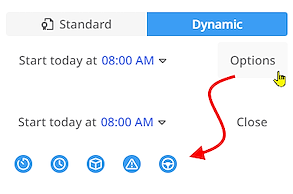
First activate the calculation mode "Dynamic". Via the <Options> button you can then
|
|
|
You can also access these options via the As an additional setting, you can also specify here for the "Loading" setting whether the effect of the load is to be calculated
Note: The effect of the load on the emissions during a route can only be calculated if a calculation method in accordance with HBEFA is set for the emissions (see "Settings"), as other methods do not include the load as a factor.
You can also specify which directive should be used to take driving and rest times into account. Note: The settings for these options are evaluated for the entire route,
not just for individual stops. |
|
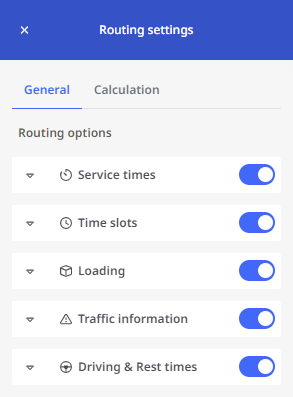
 Service times
 Time slots
 Loading and unloading
 Traffic information
 Rest periods and driving times
 button. This will take you to the "Routing settings" area. Explanations for the individual options are also displayed there on the "General" tab.
|
In addition, you can make further settings via the "Calculation" tab:
|


|