Creating a new cost profile
|
To create a new cost profile, click on the button <New cost profile> in the "Costs" module. |
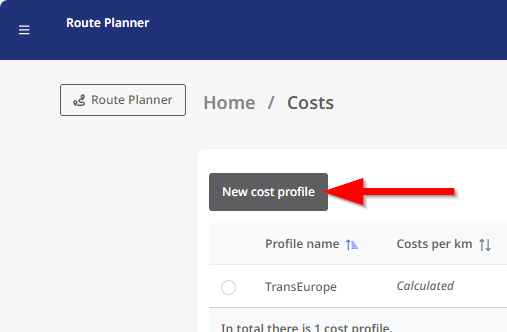
|
The page for a new cost profile is now displayed.
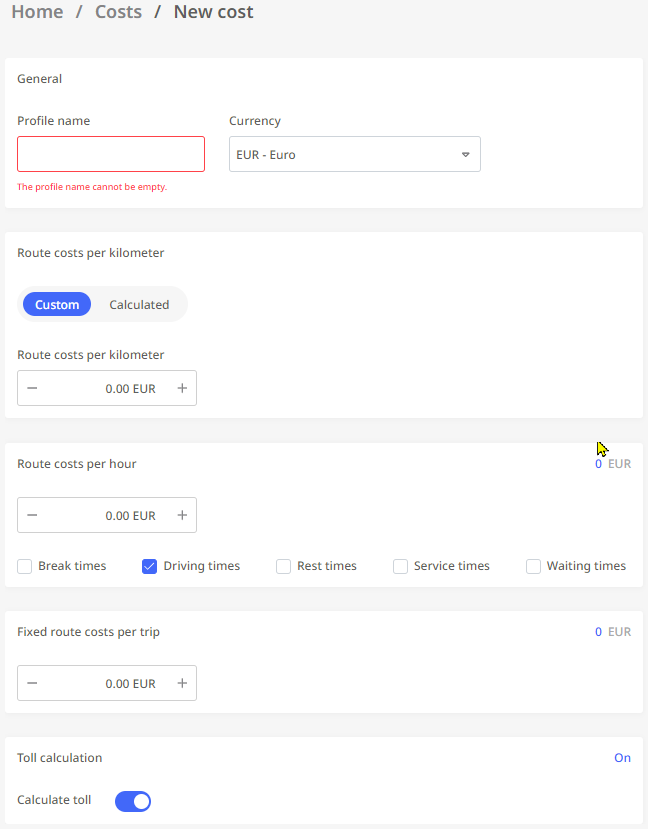
You can now make the various settings for the profile here.
General
|
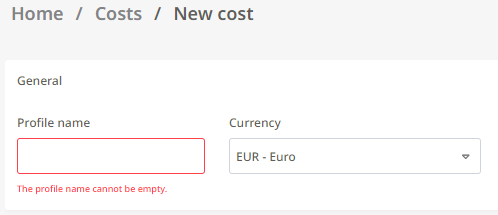
|
Route costs per kilometer - Custom
|
Route costs per kilometer
Note: Routing setting "Cost-optimized routing"
If you use the routing setting for cost-optimised routing, please ensure that you set accurate values in this area of the cost profile, as these values have a direct effect on the calculation of your route. |
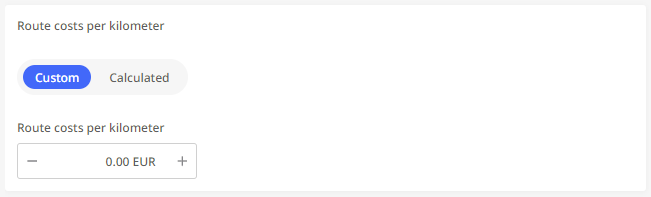
|
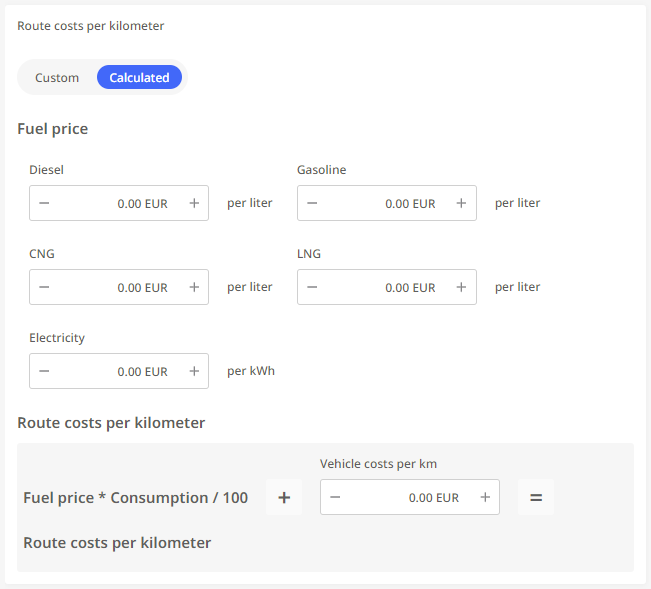
Route costs per kilometer - Calculated
Note: Routing setting "Cost-optimized routing"
If you use the routing setting for cost-optimised routing, please ensure that you set accurate values in this area of the cost profile, as these values have a direct effect on the calculation of your route. |
|
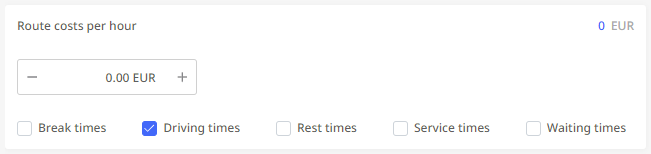
Route costs per hour
|
In this section, you can determine the costs incurred for a route per hour. You can specify whether the hourly costs should be applied to the |
|
|
|
If you use the routing setting for cost-optimised routing, please ensure that you set accurate values in this area of the cost profile, as these values have a direct effect on the calculation of your route.
Fixed route costs per trip
|
Here you can specify the costs that are incurred for a route, regardless of the duration or distance. |

|
Toll calculation
|
Here you can specify whether the toll settings stored for the various vehicle profiles (see module "Vehicles") should be analysed in combination with the toll information for a calculated route. |

|
Once you have made all the desired settings, confirm them by clicking on the  button in the top left-hand corner of the window.
This successfully completes the creation of the cost profile.